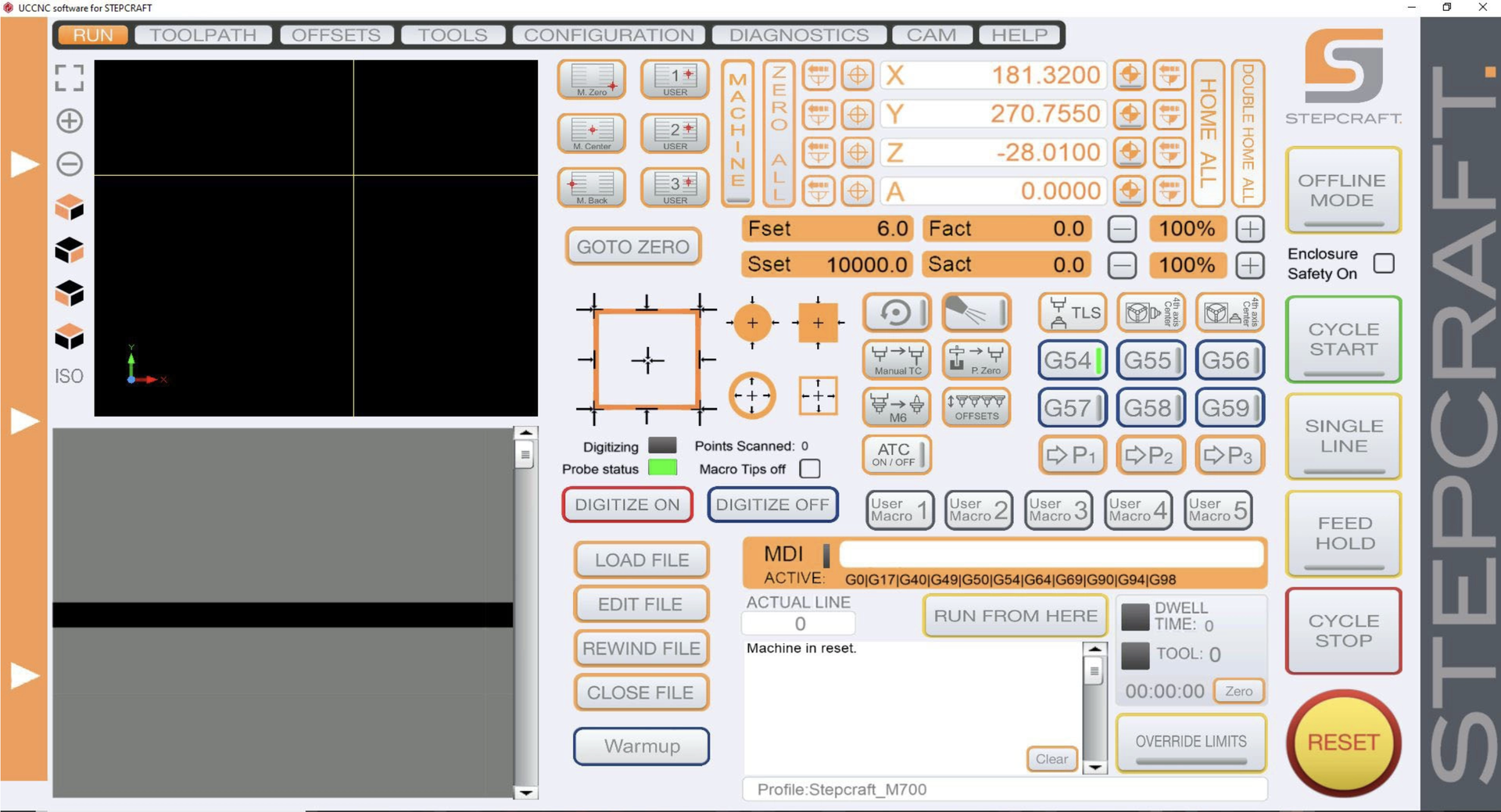
STEPCRAFT UCCNC Training Course
This course will walk you through STEPCRAFT's UCCNC machine control software. Every function will be covered in detail.
Private Course
Please sign in to contact responsible
| Last Update | 02/15/2023 |
|---|---|
| Completion Time | 3 hours 59 minutes |
-
Introduction4Lessons ·
-
Preview
-
Preview
-
Using The Quick Reference Screen
-
Accessing The Quick Reference Screen
-
-
Digital Read Out (DRO)9Lessons ·
-
DRO - Homing Your Machine
-
DRO - Homing Each Axis Individually
-
DRO - Using The Double Home-All Button
-
DRO - Manually Moving The Gantry
-
DRO - Manually Moving The Gantry Using Relative Coordinates
-
DRO - Moving To Absolute Coordinates
-
DRO - TIP Recording Absolute Coordinates At The Start Of a Job
-
DRO - Zeroing Your Workpiece
-
DRO - Pre-Programmed Position Buttons (M Center, Back and Zero)
-
-
G-Code Preview Window1Lessons ·
-
G-Code Preview Window
-
-
Job Preview Window1Lessons ·
-
Job Preview Window
-
-
Manual Feed and Speed Override1Lessons ·
-
Adjusting The Feeds And Speeds While The Job Is Running
-
-
Running Jobs8Lessons ·
-
Warmup Procedure
-
Loading And Closing Job Files
-
Starting, Stopping And Pausing Your Jobs
-
The Goto Zero Button
-
Using The Job Timer
-
Using Run From Here
-
The Status Window
-
Using The Spindle On/Off Button
-
-
Safety Features1Lessons ·
-
Enclosure Safety On Checkbox
-
-
Automatic Tool Changer & Manual Tool Changing5Lessons ·
-
Using The Tool Length Sensor (TLS) Button
-
The ATC On/Off Button And Changing Tools
-
Setting Tool Offsets
-
Resetting The Tool Rack
-
Using The Manual Tool Change Button
-
-
3D Touch Probe8Lessons ·
-
Locating The Corner Of Your Workpiece
-
Locating The Edge Of A Workpiece
-
Probing The Top Of Your Workpiece
-
Locating The Center Of A Rectangle Or Square (Outside Probing)
-
Locating The Center Of a Round Object (Outside Probing)
-
Locating The Center Of A Circle Or Rectangle (Inside Probing)
-
Aligning Your Job To An Angled Workpiece
-
Locating Your Tool's Z Zero in Pockets And Other Difficult Surfaces
-
-
Dealing With Errors2Lessons ·
-
Using The Override Limits Button
-
Understanding Soft Limits And Related Errors
-
-
Advanced Functionality8Lessons ·
-
The Programmable Position Buttons (P1-P3)
-
User Macros (1-5)
-
Using The Offline Mode Button
-
Macro Tips Off Explained
-
The Mist Coolant Button
-
What Is Dwell Time?
-
Using the MDI
-
Work Coordinate System (G54-G59) Explained
-